

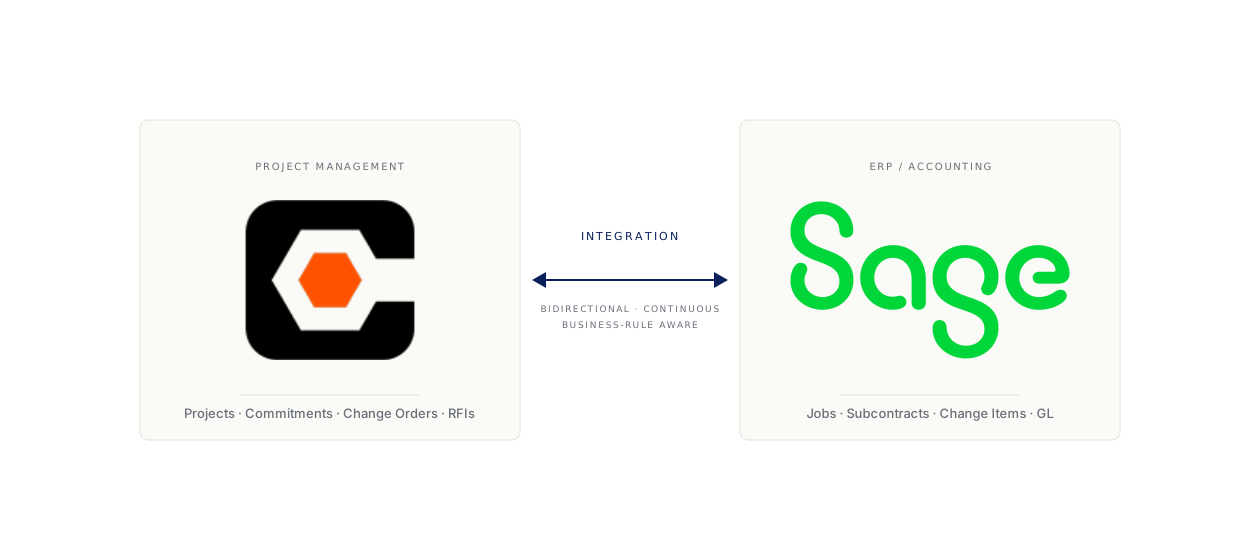
It is the first week of the month. Three people on your team are reconciling Procore and Sage.
One is the project accountant going line by line through commitments — what was committed in Procore last month vs. what’s posted as a subcontract in Sage. One is a project manager re-keying change orders that approved in Procore but never made it into Sage. The third is the controller, generating cost reports that need to match between the two systems before the bank covenant report goes out on the 15th.
You have been doing this for years. Every month, the same three people, the same five days. You have tried four things. None of them worked the way the demo said they would. Here is an honest look at each, and what we have learned helping mid-market GCs in your revenue band stop running this fire drill.
Why this is harder than it should be
If you have never opened the data models, you might think Procore and Sage 300 CRE are doing roughly the same thing for the same data. They are not.
Procore is project-first. Its data model centers on the project, with cost codes that hang off the project’s WBS, commitments that link to subcontractors, change events that flow through PCO / Primary CO / Secondary CO objects, and daily logs and submittals that touch the same projects. The Procore REST API is well-documented, modern (OAuth 2.0, JSON), and thoughtfully designed.
Sage 300 CRE is GL-first. Its data model centers on the company and its General Ledger, with Job Cost as a module hanging off the GL. Cost codes in Sage 300 CRE are decomposed into phase + category + cost item, all sitting under a job. Commitments are subcontracts and POs in the AP module. Change orders are change items posted against jobs.
The mismatch is not just structural. It is semantic.
A “commitment” in Procore is a snapshot of contractual intent, with versions and approval states. A “subcontract” in Sage 300 CRE is a financial obligation against a job, with its own change items and payment applications. They are related, but they are not the same record. The integration’s job is not just moving fields; it is reconciling two views of the same underlying business reality, with each system’s data model insisting it owns the truth.
Add to this:
- Cost code structure differences. Procore uses a single cost code; Sage 300 CRE uses phase + category + item. Mapping is many-to-many and project-specific.
- Change order flow. Procore’s PCO workflow (Potential CO → Approved Primary CO) does not map cleanly to Sage’s change-item workflow. Approved POs in Procore do not always equal posted CIs in Sage.
- Retainage rules. Procore tracks retainage at the line-item level; Sage 300 CRE tracks it at the contract level. Reconciling at month-end means computing both views and explaining the variance.
- Budgets vs. actuals timing. Procore budgets update in real time as PMs adjust; Sage actuals only land when AP posts the invoice. The same job will show different numbers in the two systems on the same day, and that is by design.
- Vendor master data. Subcontractor records exist in both systems, often with different IDs, sometimes different spellings, sometimes different Tax IDs.
- Sage Data Access. The data layer runs on Pervasive SQL from the 1990s.
Anyone who tells you the integration is “just an API call” has not opened the schemas or tried connecting to Sage 300.
With that grounding, here are the four real options.
Option 1: CSV exports + Excel + manual reconciliation
The starting point for almost every GC. Often the ending point too.
Project accountants pull a Job Cost report from Sage. Project managers pull a Budget vs. Actual report from Procore. They open both in Excel, build a pivot table, and start reconciling line by line. When something does not match, someone walks down the hall to ask why.
What works about this:
- It costs nothing extra in software.
- It is auditable in the sense that there is a paper trail (the Excel files).
- People know how to do it.
What does not work:
- It scales linearly with project count. A GC running 30 active projects spends 5x more reconciliation time than a GC running 6.
- It is human-error-prone in exactly the places it matters most — cost code mismatches that cause a six-figure variance show up at the worst time.
- The “reconciliation” is also where data drift happens. PMs in the field stop trusting the numbers they see in Procore because they know the “real” numbers are in Sage. Project controls stops trusting either system. The GC ends up running on Excel.
- It does not scale to weekly or daily reporting. Owners increasingly want weekly cost-to-complete; you cannot do this reliably from manual reconciliation.
- It eats AP / PA hours that should be spent on higher-value work. At a $200M GC running this manually, three FTEs of pure reconciliation effort is conservative.
We talk to this customer almost every week. They have already decided manual is unsustainable; they are trying to figure out what is next.
Option 2: Custom code
The next option people try. A consultant or an in-house developer writes a Python or .NET script — sometimes more than one — that pulls from Procore’s API and pushes to Sage 300 CRE via ODBC connection. It runs nightly, on a Windows VM somewhere, on a schedule the IT director half-remembers.
What works about this:
- It is exactly tailored to your data — your cost code structure, your specific change-order flow, your subcontractor master.
- It is cheap to build initially. A competent developer can stand up the first version in a few weeks.
- It feels like control. The team owns the code, the schema, the logic.
What does not work:
- Procore updates its API on a regular release cadence. When fields are deprecated or response shapes change — and they do — the integration breaks silently. The first time the team notices is when the project accountant says “Sage is missing this month’s commitments.” Now you have a fire drill plus an integration to fix.
- Sage 300 CRE’s data layer is not designed for high-volume bidirectional sync. The ODBC connection is slow, locks two hours for backups, and transactional semantics are weaker. Concurrent posts during AP runs are a known source of pain.
- There is no record-level reconciliation. Custom code typically does “pull all changes since last sync.” When a record fails to write — which happens — there is no replay queue, no idempotency layer, and no audit log. You discover the gap by reconciling, which is the thing the integration was supposed to eliminate.
- The consultant leaves. Or the in-house developer moves on. The team that knew why the script was written the way it was scatters within 18 months. The next person to touch it inherits an undocumented set of assumptions baked into SQL.
- AI coding tools have made this option seductive. Cursor and Claude can absolutely write the first version of a Procore-to-Sage script in an afternoon. They write code well. They do not, by themselves, manage schema drift, partner-API breaking changes, OAuth refresh, retry semantics, and entity resolution. We have been in conversations recently with mid-market GCs whose IT directors were told to “just build it with Cursor” — three months later the team is debugging a bidirectional sync that fails silently 7% of the time, which is the failure mode that consumes more effort than the original CSV reconciliation.
If you have a strong internal data engineering team — meaning two or more engineers who own the integration as their primary responsibility, not as one of fifteen things — custom code can work. For the GCs in our typical band ($100–500M), that team does not exist. The IT director runs the help desk, the network, the laptop fleet, the M365 tenancy, the security program, and the integrations.
Option 3: Procore’s ERP Connector
Procore offers a paid premium product called Procore ERP Integrations (sometimes called Procore Connect, depending on when you bought it). It supports Sage 300 CRE among others — Sage 100 Contractor, Sage Intacct, Viewpoint Spectrum, Viewpoint Vista, and a handful of others.
What works about this:
- It is built and maintained by Procore — when their API changes, they update the connector.
- It is officially supported, with a known SLA and a support path.
- It is the path of least resistance for someone who is already a Procore customer.
What does not work:
- Coverage is uneven. Budgets and basic cost data flow well. Commitments and change orders flow more roughly. Retainage and complex billing rules often require manual reconciliation on top of the connector. The fields that cause the most pain at month-end are the ones the connector handles least cleanly.
- It is one-directional in practice for many fields. Some flows are bidirectional, but for the operations that matter most — change orders, commitments, AP postings — most customers end up using it as a one-way push from Sage to Procore (the “we treat Sage as system-of-record for cost” model). That works for some teams; it does not work if your PMs need to see live commitments and pending changes in Procore.
- It does not solve owner reporting. Whatever data Procore + Sage produce, you still have to pull together for the owner. The connector connects two systems; it does not get your data into a warehouse, a Power BI dashboard, or an owner’s Autodesk Construction Cloud.
- It does not solve sub-to-GC. Your subs send invoices via email. The Procore ERP Connector does not change that. The connector is internal-systems-only.
- Cost. It is priced as a premium add-on to Procore, and the list price tends to surprise customers who expected it bundled.
For some GCs, this is the right answer. The team that says “we are fine treating Sage as system-of-record, our PMs only need budget visibility in Procore, and we have a separate path for owner reporting” — for them, the Procore ERP Connector solves enough of the problem to be worth it. For the GCs trying to run a real bidirectional flow with full coverage of commitments, change orders, and retainage, plus owner reporting, plus sub data exchange — this is one piece of a bigger puzzle.
Option 4: Generic iPaaS — Workato, Boomi, Mulesoft
The big-name integration platforms. Build any integration between any systems, that is the pitch. They have hundreds of connectors, drag-and-drop workflow builders, and are heavily marketed at the enterprise IT buyer.
What works about this:
- They have real engineering investment behind them. The platforms work — for the systems they cover.
- They handle queueing, retry, error handling, and observability at a quality the custom-code path cannot match.
- For an IT team already standardized on one of them (because they are using it for HR-to-payroll, CRM-to-marketing, etc.), adding a Procore-Sage flow is incremental.
What does not work:
- They were not built for construction ERPs. Workato has a Procore connector. It does not, at the time of writing, have a Sage 300 CRE connector that handles commitments, change orders, or retainage at any meaningful depth. Boomi is the same. Mulesoft is the same. The platform is great; the construction-specific content on the platform is thin.
- You end up paying twice. Once for the platform, once for the consultant who maps Procore’s commitment structure to Sage’s subcontract structure. The latter is the work that actually takes effort. The platform does not save you that work; it just hosts it.
- Pricing is enterprise-shaped. Tens of thousands annually at the entry tier; rapidly higher with usage and premium connector packs. For a $200M GC, this is often the deciding factor against.
- The mappings live in opaque visual workflows. Five years from now, when the consultant is gone and the IT director who picked the tool has left, the next team inherits a clickable graph that no one reads. This is the same maintainability problem as custom code, with a vendor lock-in tax on top.
- Generic iPaaS does not solve the cross-organization problem. Same as Procore Connect — your subs and owners do not get pulled in.
We have replaced Workato, Boomi, and Mulesoft installs at GCs whose IT teams concluded the tooling was right for HR but wrong for construction. The pattern is consistent: the platforms are well-built; they were just built for HR-to-CRM and CRM-to-marketing automation, and that is not the same problem.
So what does work?
You probably know what we are going to say here, but we will keep it brief.
Aquifer is purpose-built for the systems mid-market GCs actually run. Procore. Sage 300 CRE. Viewpoint Vista. Acumatica. CMiC. ArcGIS. Autodesk Construction Cloud. The integration logic — including the change-order mapping, the commitment-to-subcontract reconciliation, the retainage logic, the cost-code translation — is written in SQL, which means your team can read it, modify it, and audit it. It is not a vendor-locked visual workflow that no one opens after the consultant leaves. The same pipeline that syncs Procore↔Sage feeds your data warehouse for owner reporting and feeds Exchange for direct system-to-system sharing with owners and subs.
We are not the only answer for everyone. If your team’s situation is “we treat Sage as system of record, PMs only need budget visibility, no owner reporting needed, no subs sending invoices” — Procore’s ERP Connector might be enough. If your team is one of the rare mid-market GCs with a serious internal data engineering team — custom code is at least defensible. If you have already standardized on a generic iPaaS for non-construction integrations — there is a reasonable case for adding Procore-Sage to that stack and budgeting for the consultant work.
For the GCs we typically end up working with — running 20–60 active projects, $100–500M revenue, IT director who is wearing five hats, finance team that wants their first week back — generic platforms are a poor fit, custom code is a maintenance liability, and Procore’s ERP Connector is one piece of a larger puzzle we solve end to end.
What to evaluate when picking
If you are in the market right now, here are the questions to ask any vendor (including us):
- What happens when Procore deploys an API change? Specifically: who sees the failure first, when, and how is the customer notified?
- Where does the integration logic live, and who can read it? SQL, YAML, JSON config, opaque visual workflow, or undocumented Python? Five years from now, who maintains this?
- How are commitments and subcontracts reconciled? Field by field — Procore commitment ID, Sage subcontract number, vendor mapping, change item linkage.
- What is the retainage logic? Specifically, how does the system reconcile Procore line-level retainage with Sage contract-level retainage?
- What does month-end close actually look like? Specifically, the close cadence the customer experiences — are they still doing manual reconciliation or has it gone to zero?
- Does this also feed our data warehouse? Owner reporting and analytics will follow within 12 months even if you do not think you need them today.
- Does this also handle our sub data exchange? Same — within 12 months you will want this.
- What is the failure-mode story? Specifically: idempotency, retry, what happens when a record fails to write, where the audit log lives.
- What is the total cost over three years? Platform fee + connector fee + consultant fee + internal hours. Apples-to-apples is the only way to compare.
If a vendor cannot answer any one of these without hand-waving, walk away. If they can answer all nine with specifics, you have found someone serious.
If you want to see how Aquifer answers these for a customer who looks like you — say, a $200M GC running 25 projects across commercial and healthcare — book a 30-minute call and we will walk through it with your data structures, not a generic demo.