
Sending…
See AI invoice intake on your own invoices. Each comes back read, coded to project and cost code and routed for approval, with a plan for AP beside your ERP.
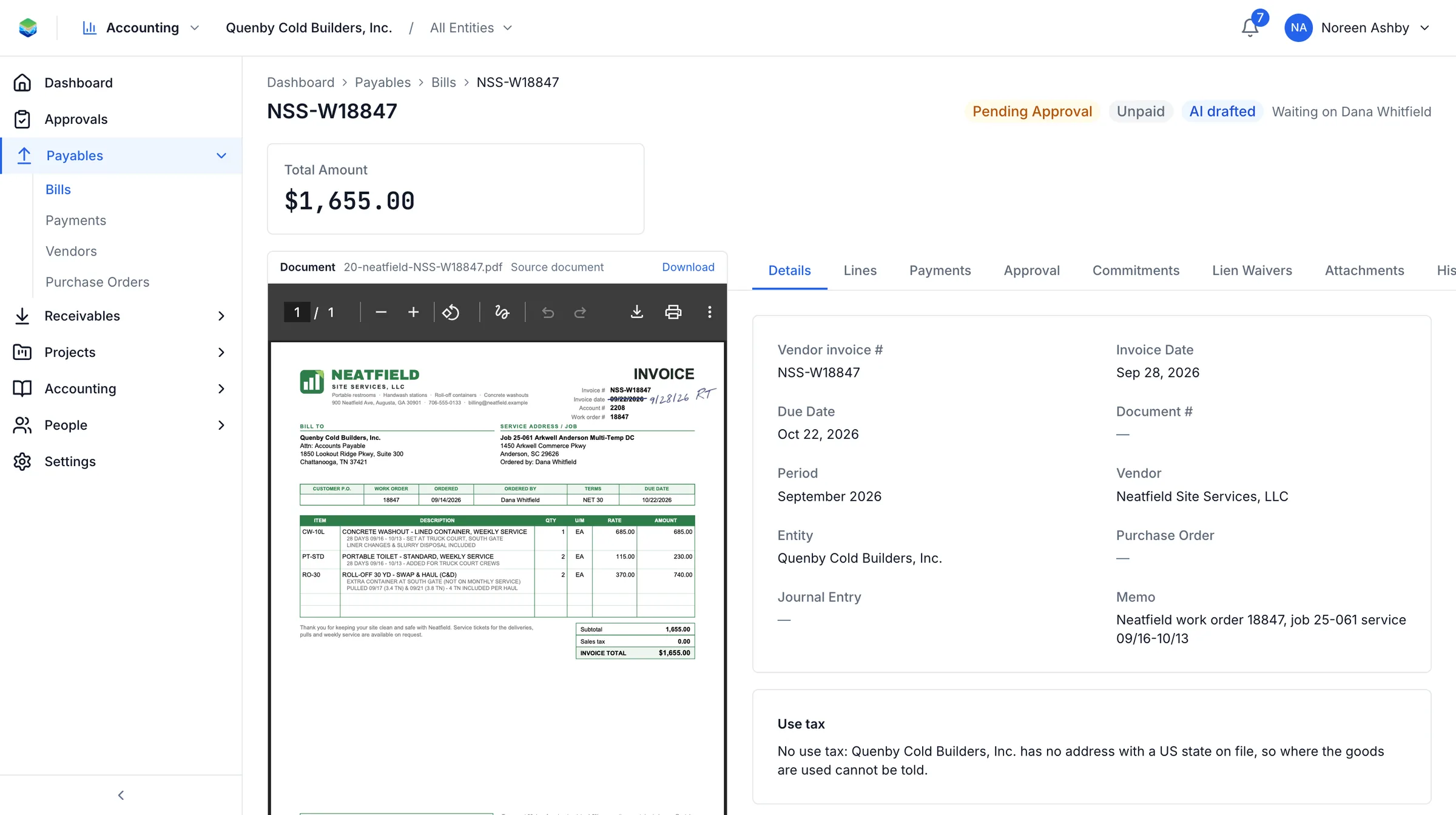
Twenty PDFs, as they arrive. Redact anything you need to. We sign a mutual NDA on request.
Aquifer AI reads each one, codes it to project and cost code, matches it to a commitment and routes it. A person checks the result.
You get the coded invoices, the exceptions, and the plan for running this next to your ERP.




Does this touch our accounting system?
No. Nothing is written anywhere. You get coded invoices and a plan; the sync with your ERP is set up only if you go ahead.
What happens to the invoices afterwards?
They are deleted when the exercise is over unless you ask us to keep them for what comes next.
We use a small number of first-party cookies to understand which pages visitors find useful. No advertising, no third parties. Privacy notice